

All NVIDIA RTX Pro Blackwell GPUs Explained: Which One Should You Choose? (RTX Pro 6000, 5000, 4500, 4000 & 2000 In Stock)
All NVIDIA RTX Pro Blackwell GPUs Explained: Which One Should You Choose?
(RTX Pro 6000, 5000, 4500, 4000 & 2000 In Stock)
Updated for 2026 • Guidance from an experienced system integrator
Ethan Malone • Last updated: January 22, 2026
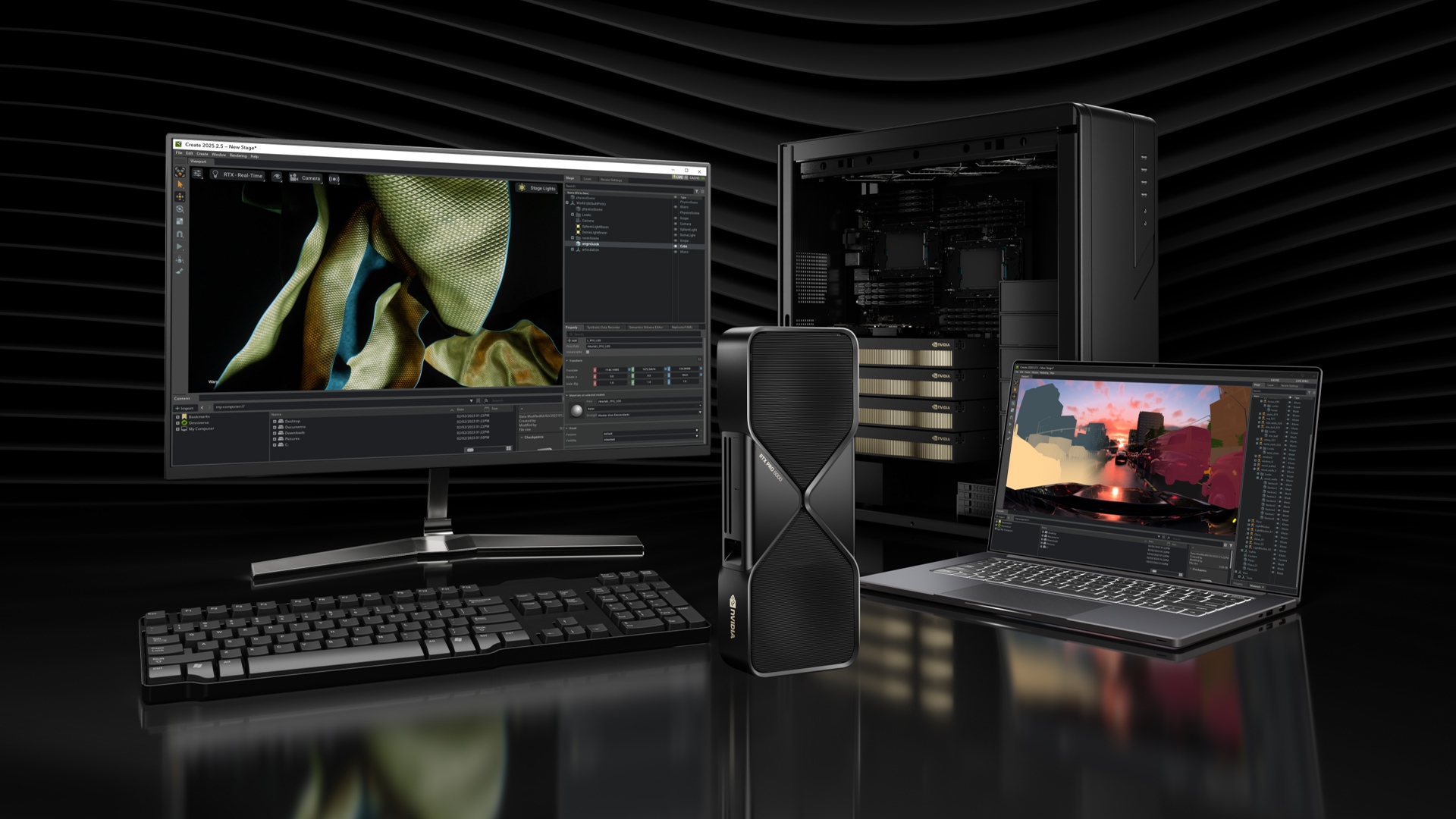
Image credit: NVIDIA
Overview
The AI sector’s rapid growth in this past year has pushed workstation hardware in new directions, and NVIDIA has now nearly completed the transition of its workstation-class graphics card lineup to the current-gen Blackwell microarchitecture—at a notably faster pace than they did with the prior generation of Ada-based GPUs.
Since the release of our original article outlining the differences between the three form factor variants of the RTX Pro 6000 Blackwell—the first Blackwell workstation card to reach wide consumer availability following the lineup’s official March 18, 2025 launch—NVIDIA has significantly expanded availability across the wider RTX Pro Blackwell GPU family.
Alongside the RTX Pro 6000 Blackwell, NVIDIA has since introduced RTX Pro 5000, 4500, 4000, and 2000 models, each designed to better address different system configurations and environments.
At Central Computers, we carry the entire line of NVIDIA Blackwell workstation graphics cards and offer a variety of customizable system configurations built around them.
This guide is intended to provide a clear comparison of the current RTX Pro Blackwell GPU lineup, helping you understand how the different models fit into real-world workstation and server applications before diving deeper into the individual tradeoffs between each option.

Key Factors to Consider When Choosing a Blackwell Workstation GPU
Whether you are a small-scale homelab user, a professional artist, or a purchaser looking for quotes on your new server fleet, it is important to decide which GPU to purchase depending on the following considerations rather than peak performance alone:
- System Type
Whether the GPU will be installed in a desktop workstation, small-form-factor system, or rackmount server has a major impact on which models are viable. Physical constraints and airflow expectations vary significantly between these environments. - Power Budget
Consider the electrical layout of your facility or home, as well as your total system power availability if you are deploying these in a datacenter.
Note to home users: If you plan to run a large qty of RTX Pro 6000 Blackwell GPUs at their full 600W power limit and are not using the Max-Q Workstation Edition (300W), you will likely require a 240V circuit. While 240v circuits are a commodity in datacenters, most residential electric circuits will only support up to approximately 1600W of continuous power draw. - Cooling Design / Airflow
Using the wrong cooling style for your chassis and work environment can significantly impact performance and long-term stability. Blower-style, flow-through, and passive designs are each optimized for different airflow scenarios. Take some time to understand which cooling approach best matches your intended deployment.
- Form Factor
Card height, length, and slot width can be the deciding factor in whether a GPU will physically fit in your system. Always cross-reference the GPU dimensions listed in the specification table with your chassis dimensions to avoid compatibility issues.
- Scalability and Multi-GPU Support
Certain models, such as the RTX Pro 6000 Blackwell, are offered in multiple cooling configurations specifically to support scalable and multi-GPU deployments. Others may be better optimized for single- or dual-GPU usage depending on power and airflow constraints.
- Virtualization (i.e MIG)
For AI inference, shared compute environments, or virtualized workloads, support for NVIDIA Multi-Instance GPU (MIG) can be a major advantage. Virtualization becomes increasingly valuable as system utilization scales, making this an important consideration for AI developers and researchers.
To help put these considerations into context, the table below provides a complete side-by-side comparison of the current NVIDIA RTX Pro Blackwell workstation GPU lineup, helping you quickly narrow down the best options for your system and workload.
Full specification table (scroll horizontally to see all columns)
| Specifications |
RTX Pro 6000 Blackwell
Server Edition |
RTX Pro 6000 Blackwell
Workstation Edition |
RTX Pro 6000 Blackwell
Max-Q Workstation Edition |
RTX Pro 5000
Blackwell |
RTX Pro 4500 Blackwell
Server Edition |
RTX Pro 4500
Blackwell |
RTX Pro 4000
Blackwell |
RTX Pro 4000 SFF
Blackwell |
RTX Pro 2000
Blackwell |
|---|---|---|---|---|---|---|---|---|---|
| Standard Memory | 96GB GDDR7 | 96GB GDDR7 | 96GB GDDR7 | 48GB / 72GB GDDR7 | 32GB GDDR7 | 32GB GDDR7 | 24GB GDDR7 | 24GB GDDR7 (ECC) | 16GB GDDR7 (ECC) |
| Memory Bandwidth | 1,597 GB/s | 1,792 GB/s | 1,792 GB/s | 1,344 GB/s | 800 GB/s | 896 GB/s | 672 GB/s | 432 GB/s | 288 GB/s |
| Memory Interface | 512-bit | 512-bit | 512-bit | 384-bit | 256-bit | 256-bit | 192-bit | 192-bit | 128-bit |
| CUDA Cores | 24,064 | 24,064 | 24,064 | 14,080 | 10,496 | 10,496 | 8,960 | 8,960 | 4,352 |
| Tensor Cores | 752 (5th Gen) | 752 (5th Gen) | 752 (5th Gen) | 400 (5th Gen) | 328 (5th Gen) | 328 (5th Gen) | 280 (5th Gen) | 280 (5th Gen) | 136 (5th Gen) |
| RT Cores | 188 (4th Gen) | 188 (4th Gen) | 188 (4th Gen) | 100 (4th Gen) | 82 (4th Gen) | 82 (4th Gen) | 70 (4th Gen) | 70 (4th Gen) | 34 (4th Gen) |
| Base Clock | 1,590 MHz | 1,590 MHz | 1,035 MHz | 1,740 MHz | 1,215 MHz | 1,635 MHz | 1,230 MHz | 1,230 MHz | 982 MHz |
| Boost Clock | 2,617 MHz | 2,617 MHz | 2,280 MHz | 2,377 MHz | 2,415 MHz | 2,407 MHz | 2,055 MHz | 1,920 MHz | 1,957 MHz |
| GPU Die | GB202 | GB202 | GB202 | GB202 | GB203 | GB203 | GB203 | GB203 | GB206 |
| Host Interface | PCIe 5.0 x16 | PCIe 5.0 x16 | PCIe 5.0 x16 | PCIe 5.0 x16 | PCIe 5.0 x16 | PCIe 5.0 x16 | PCIe 5.0 x16 | PCIe 5.0 x8 | PCIe 5.0 x8 |
| Single Precision FP32 (TFLOPS) |
120 | 125 | 110 | 65 | 51 | 55 | 37 | 24 | 17 |
| Double Precision FP64 (TFLOPS) |
1.72 | 1.97 | 1.72 | 1.05 | 0.79 | 0.79 | 0.58 | 0.38 | 0.27 |
| Display Ports | 4x DisplayPort 2.1 | 4x DisplayPort 2.1b | 4x DisplayPort 2.1b | 4x DisplayPort 2.1b | No Outputs | 4x DisplayPort 2.1b | 4x DisplayPort 2.1b | 4x mini DisplayPort 2.1b | 4x mini DisplayPort 2.1b |
| Power Draw | Up to 600W (configurable) | 600W | 300W | 300W | 165W | 200W | 140W | 70W | 70W |
| Form Factor | 4.4" H x 10.5" L, dual slot | 5.4" H x 12" L, dual slot, extended height | 4.4" H x 10.5" L, dual slot, full height | 4.4" H x 10.5" L, dual slot, full height | 4.4" H x 10.5" L, single slot, full height | 4.4" H x 10.5" L, dual slot, full height | 4.4" H x 9.5" L, single slot, full height | 2.7" H x 6.6" L, dual slot, low-profile | 2.7" H x 6.6" L, dual slot, low-profile |
| Fan Configuration | Passive (server chassis) | 2x active fans, flow-through | Active blower | Active blower | Passive (server chassis) | Active blower | Active blower | Active blower | Active blower |
| MIG Compatibility | Yes (up to 4 instances) | Yes (up to 4 instances) | Yes (up to 4 instances) | Yes (up to 2 instances) | Yes (up to 2 instances) | - | - | - | - |
| Good for Multi-GPU? | Yes, needs external high-pressure airflow | Limited | Yes | Yes | Yes, needs external high-pressure airflow | Yes | Yes | Yes, in space-constrained builds | Not intended |
| Deployment Focus | Rackmount servers with strong chassis airflow | Flagship workstations with 1–2 GPUs | Flagship workstations with dense GPU arrays | High-end professional / AI workstations | Dense, high-airflow servers. More Info Coming soon! | Performance-focused workstations | Mid-range workstations for 3D, CAD, and engineering workloads | Compact workstations, ITX builds, and dense multi-GPU layouts | Compact OEM desktops and institutional CAD/engineering classrooms |
Are you part of an AI startup, or a higher education institution? You may be eligible for exclusive GPU discounts via the NVIDIA Inception Program or the NVIDIA Higher Education Promotion
With the full lineup compared above, we can now take a closer look at each RTX Pro Blackwell GPU, starting with the RTX Pro 6000 Blackwell and its three distinct form factor variants.
NVIDIA RTX Pro 6000 Blackwell
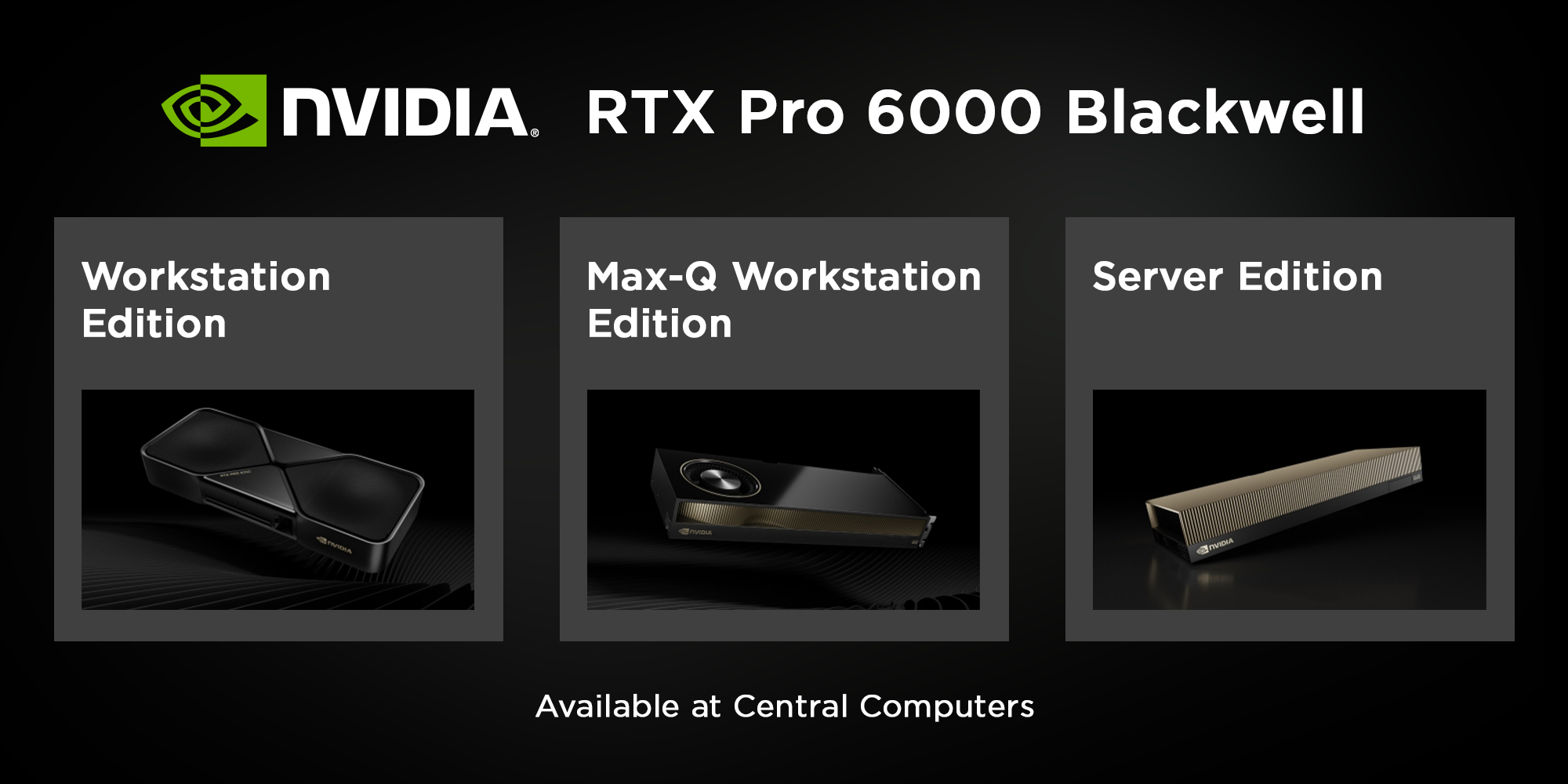
The RTX Pro 6000 Blackwell represents the flagship of NVIDIA’s professional Blackwell GPU lineup. While other RTX Pro Blackwell GPUs address a wide range of specific workloads and system designs, the RTX Pro 6000 Blackwell is designed for users who need maximum performance, memory capacity, and scalability all in one package.
NVIDIA offers their RTX Pro 6000 Blackwell Graphics Card in three distinct versions: Workstation Edition, Max-Q Workstation Edition, and Server Edition. All three share the same GB202 die and memory configuration. The differences between them come down entirely to cooling design, power targets, physical dimensions, and intended deployment environment.
Let’s break down each model and dive into exactly what those differences are, so that we can help you make an informed decision on which model would work best for your use case.
1. NVIDIA RTX Pro 6000 Blackwell Workstation Edition
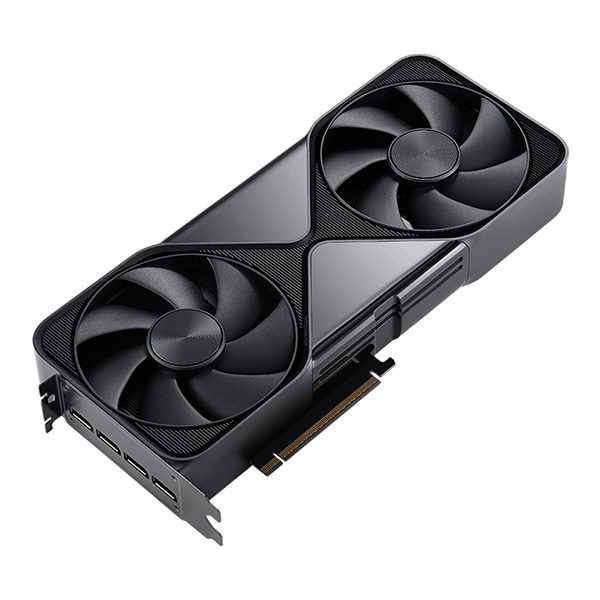
Available Model: NVIDIA 900-5G144-2200-000-01 | PNY VCNRTXPRO6000B-PB
Graphics Processor: GB202
VRAM: 96GB GDDR7
Power Consumption: Up to 600W
Cooling: Dual-fan Active Cooler
Form Factor: Full-Height, Dual-Slot Card
Dimensions: 5.4” (H) × 12” (L)
See Price (NVIDIA) | See Price (PNY)
Firstly, the NVIDIA RTX Pro 6000 Blackwell’s Workstation Edition is a flow-through dual-fan model that resembles what most might imagine when they picture a standard desktop GPU. It is ideal for exactly that; high performance desktops using spacious ATX cases. Combined with a higher 600W power limit compared to its 300W blower-style sibling, it is the best choice for customers looking to use one or two RTX Pro 6000 Blackwell GPUs in their high-end desktop.
For such a high wattage card, it is not recommended to use the RTX Pro 6000 Blackwell Workstation Edition in multi-GPU configurations, since the cards will simply blow hot air on each other. Thermals must be managed very carefully when using this tier of GPU.
Additionally, the Workstation Edition will NOT fit in a 2U server chassis, as the card is full height; the height of the heat shroud exceeds the PCIe bracket. If you are using a 2U chassis, you will need either the Max-Q or Server Edition.

2. NVIDIA RTX Pro 6000 Max-Q Workstation Edition
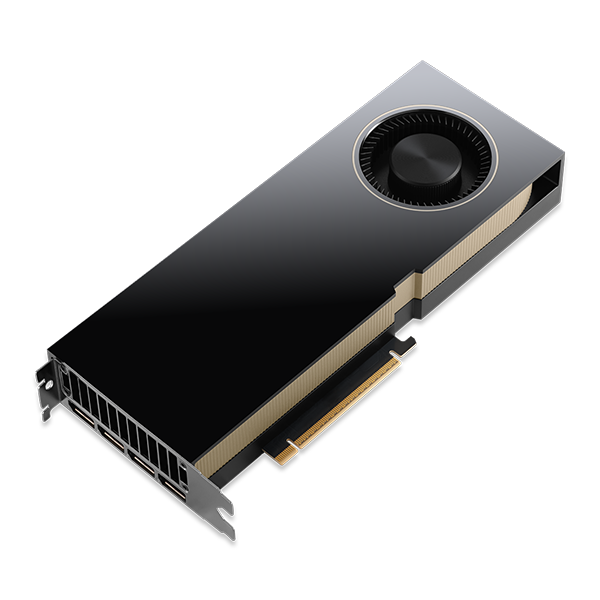
Available Model: NVIDIA 900-5G153-2500-000 | PNY VCNRTXPRO6000BQ-PB
Graphics Processor: GB202
VRAM: 96GB GDDR7
Power Consumption: Up to 300W
Cooling: Single-Fan Blower
Form Factor: Standard Height, Dual-Slot
Dimensions: 4.4” (H) × 10.5” (L)
See Price (NVIDIA) | See Price (PNY)
The Max-Q Workstation Edition of the NVIDIA RTX Pro 6000 Blackwell uses a single blower-style fan with the heatsink fully enclosed to ensure that the direction of air is controlled solely by the blower fan. This singular fan is responsible for sucking fresh air into the heat shroud, directing it across the surface of the hot PCB and heatsink, and exhausting it out the rear IO grille. This design is ideal for tightly packed, multi-GPU configurations, where managing internal airflow is critical. Thanks to the enclosed blower design, using multiple of this GPU is easy compared to the flow-through design of the Workstation Edition.
While the 300W TDP limit compared to the 600W limit on the other versions might scratch some heads, those familiar with enterprise GPUs might already be aware that this is a design choice made to assist with scalability; it is best suited in environments with several GPUs stacked on top of each other. It’s an ideal choice for any user wanting to fit 2–4 RTX Pro 6000 Blackwell GPUs in a chassis that does not have robust external airflow in either a desktop chassis or server chassis, and/or has limitations on PSU wattage (4x 600W cards is a different beast compared to 4x 300W). If you want to keep a single power supply for your multi-GPU setup, Max-Q is the best choice for you.
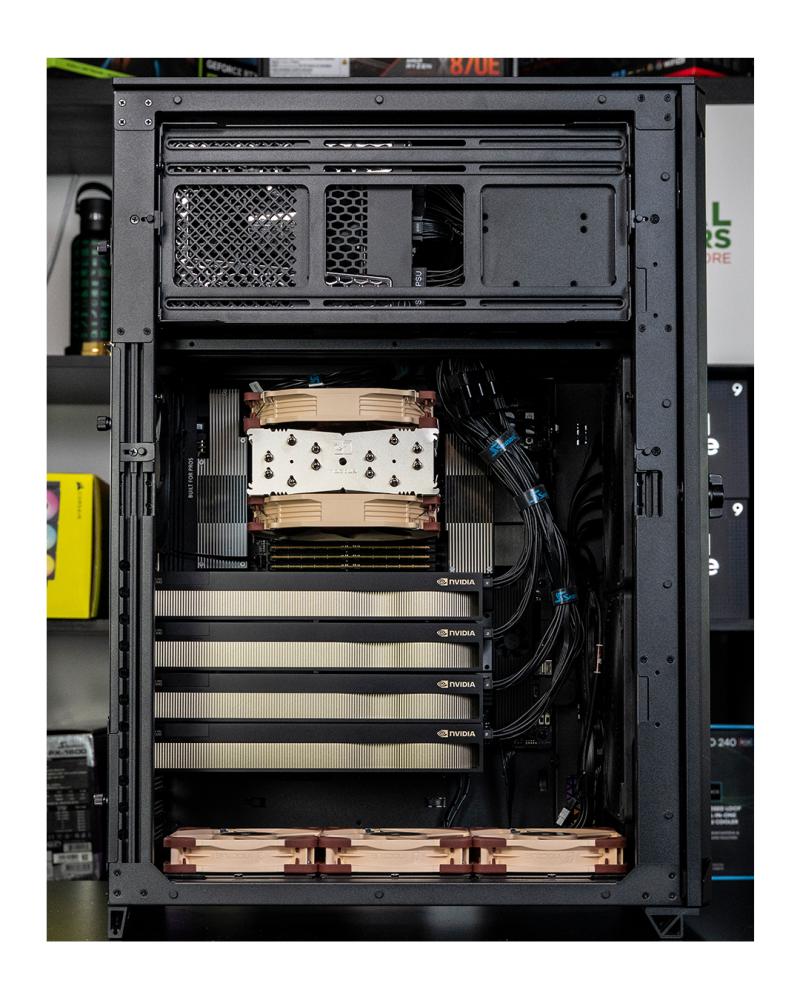
Recently, we assembled this Orion Max AI Workstation containing 4 RTX Pro 6000 Max-Q GPUs, demonstrating its scalability and cooling efficiency in a production-ready build:
3. NVIDIA RTX Pro 6000 Blackwell Server Edition
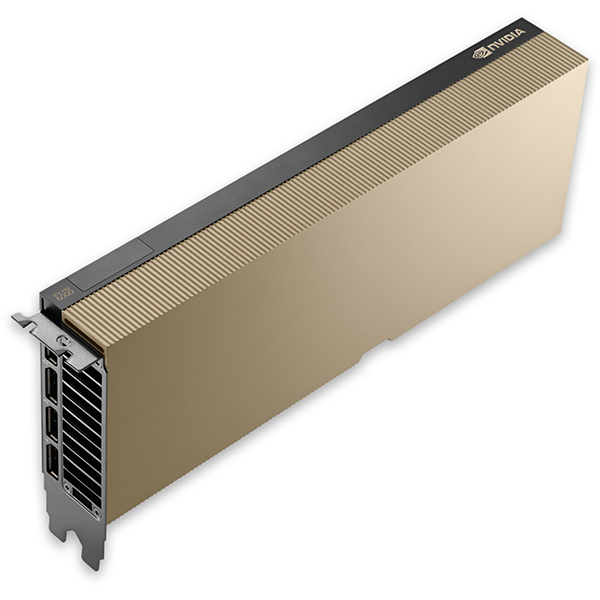
Available Model: NVIDIA 900-2G153-0000-000 | PNY NVRTXPRO6000TCGPU-KIT
Graphics Processor: GB202
VRAM: 96GB GDDR7
Power Consumption: Configurable up to 600W
Cooling: Passive Heatsink (No Fan, Requires External Airflow)
Form Factor: Standard Height, Dual-Slot
Dimensions: 4.4” (H) × 10.5” (L)
See Price (NVIDIA) | See Price (PNY)
Designed for rackmount servers in densely packed datacenters, the NVIDIA RTX Pro 6000 Blackwell Server Edition lacks an active cooling fan and relies entirely on external airflow (typically provided by high-pressure server chassis fans) with a passive heatsink. It is ideal for use in densely-packed systems with robust external airflow. It also offers power configurability up to the full 600W envelope offered by the RTX Pro 6000 Blackwell GPU if your airflow solution is capable of cooling it.
If your rackmount system is capable of delivering ample power alongside redundant cooling solutions (including high pressure internal chassis fans as previously mentioned and external cooling), the Server Edition is the perfect choice for your deployment, as you can enjoy the maximum throughput of the RTX Pro 6000 Blackwell while also being able to use several at a time.
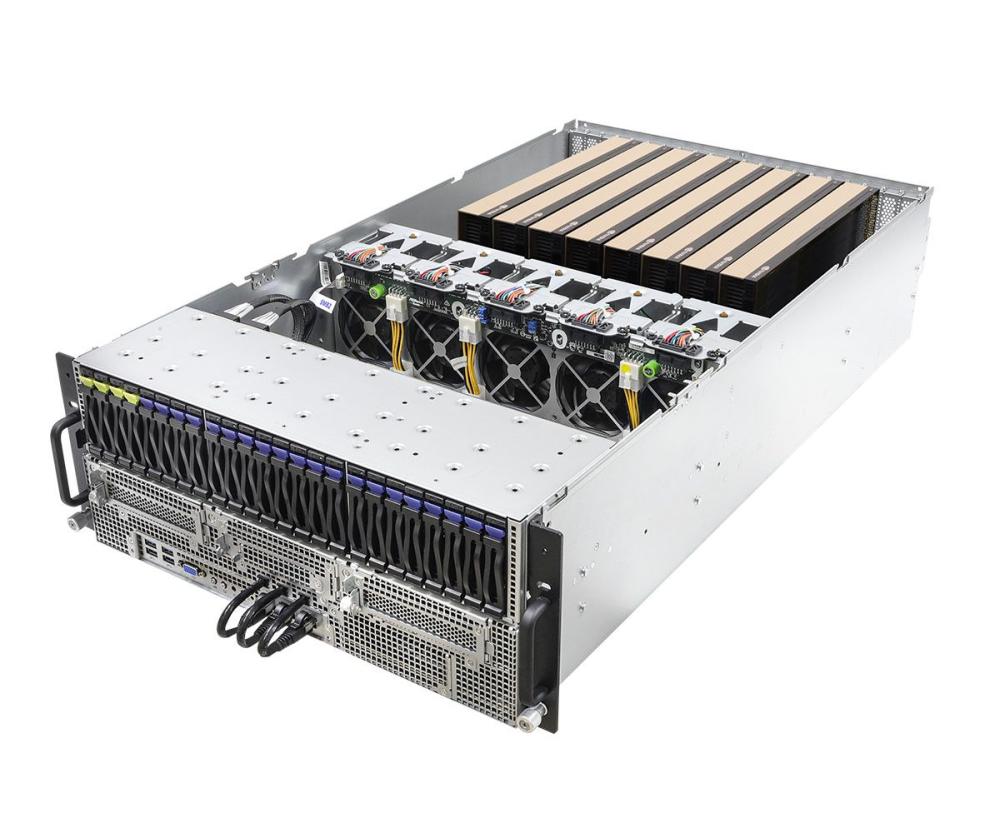
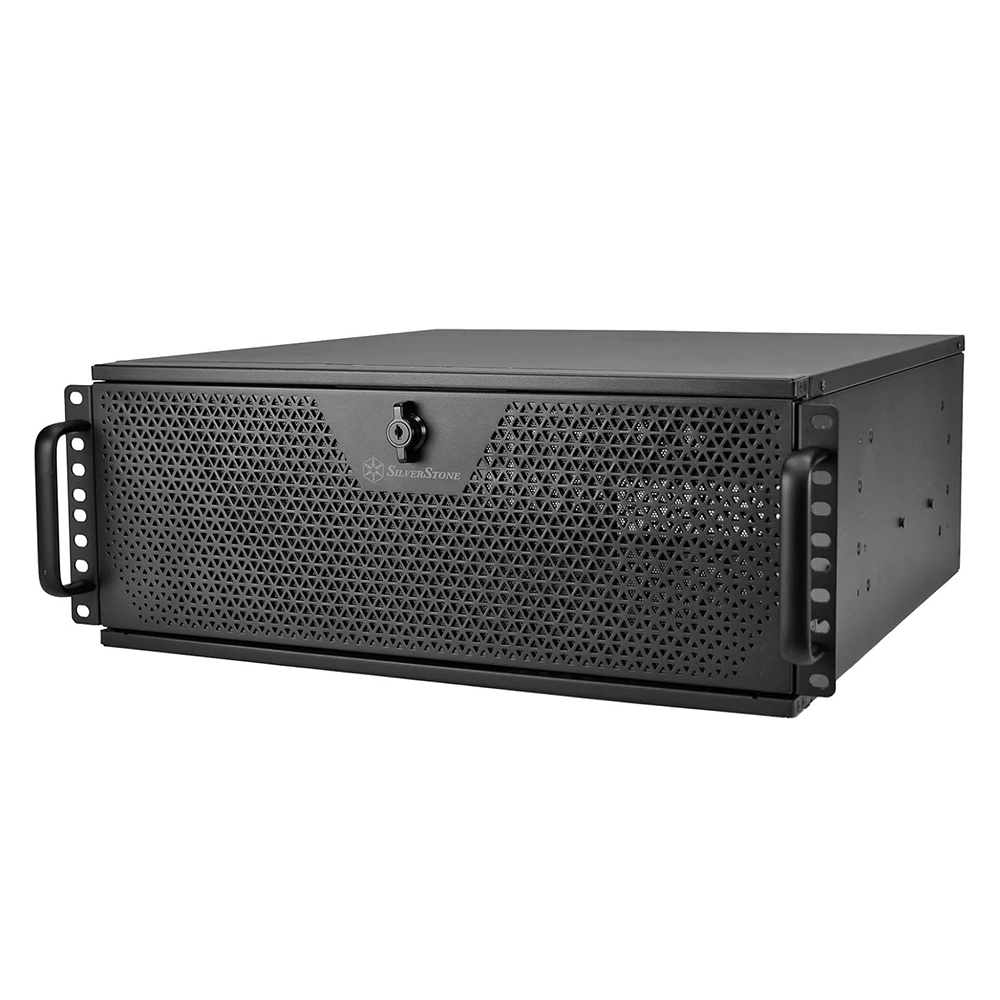
We recently completed a 4U server build containing 4qty of RTX Pro Blackwell Server Edition Cards, pictured below! You can order a customized 8x GPU server here.
NVIDIA RTX Pro 5000 Blackwell
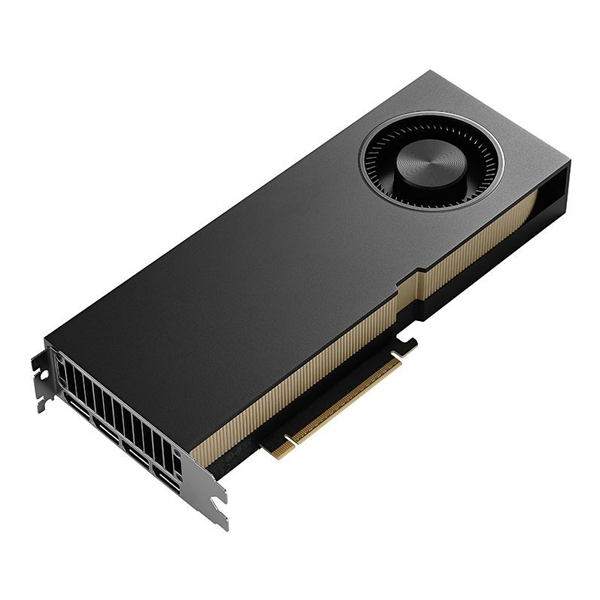
Available Model: NVIDIA 900-5G153-2250-000-01 | PNY VCNRTXPRO5000B-BLK | 72G: NVIDIA 900-5G153-2270-000-01
Graphics Processor: GB202
VRAM: 48GB or 72GB GDDR7
Power Consumption: 300W
Cooling: Single-Fan Blower
Form Factor: Standard Height, Dual-Slot
Dimensions: 4.4” (H) × 10.5” (L)
See Price (NVIDIA) | See Price (PNY) | 72GB: See Price (NVIDIA)
The NVIDIA RTX Pro 5000 Blackwell occupies a unique position in the product stack, delivering strong compute performance while operating within a more modest 300W power envelope, and is currently the only model to offer multiple VRAM configuration options. It is designed for users who prioritize large memory capacity and easy scalability over raw flagship performance and the infrastructural demands that come with it.
While it doesn’t match the RTX Pro 6000 Blackwell’s peak performance, it offers a compelling value proposition at roughly half the cost. There are few comparable options available at this price point for a 48GB workstation graphics card, unless one considers purchasing a last-generation RTX 6000 Ada on the used market at a slightly higher cost. For many professional users, however, the RTX Pro 5000 Blackwell’s higher memory bandwidth, newer Blackwell architecture, FP4 support, PCIe Gen 5 connectivity, and the assurance of a new product with full warranty support cement it as the more attractive choice.
The RTX Pro 5000 Blackwell also uniquely comes in a 72GB version. This higher-capacity configuration is positioned to appeal to AI researchers and other memory-bound users who require substantial VRAM at a lower cost and power level than NVIDIA’s flagship offerings, while still benefiting from fast memory bandwidth. For workloads constrained primarily by memory capacity rather than raw compute throughput, the 72GB RTX Pro 5000 Blackwell represents one of the most practical and scalable options in NVIDIA’s current workstation lineup.
NVIDIA RTX Pro 4500 Blackwell Server Edition

Available Model: Coming Soon
Graphics Processor: GB203
VRAM: 32GB GDDR7
Power Consumption: 165W
Cooling: Passive (No Fan, Requires External Airflow)
Form Factor: Standard Height, Single-Slot
Dimensions: 4.4” (H) × 10.5” (L)
See Price (NVIDIA) | Coming Soon (PNY)
A newer 2026 addition to the Pro 4500 line, the NVIDIA RTX Pro 4500 Blackwell Server Edition features a 1-slot footprint, a lower 165W power consumption, and 32GB of VRAM. Designed for high density servers, this card requires high airflow and does not come with any display output. Unlike the Pro 4500 Blackwell Workstation, the Server Edition is capable of 2 MIG instances.
NVIDIA RTX Pro 4500 Blackwell
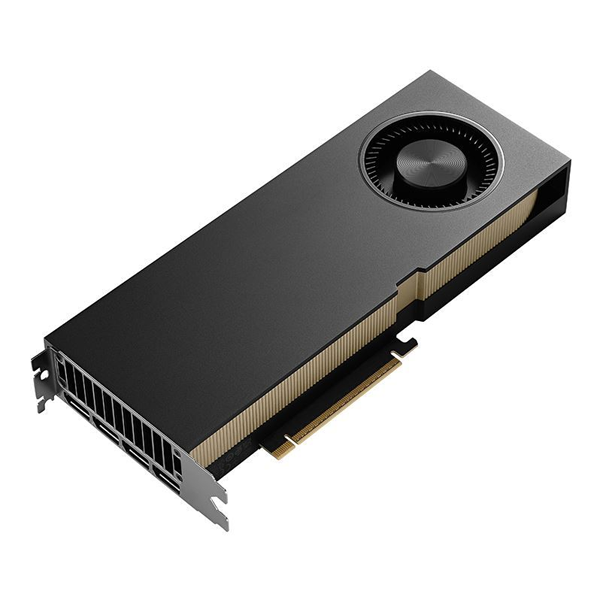
Available Model: NVIDIA 900-5G147-2250-000-01 | PNY VCNRTXPRO4500B-BLK
Graphics Processor: GB203
VRAM: 32GB GDDR7
Power Consumption: 200W
Cooling: Single-Fan Blower
Form Factor: Standard Height, Dual-Slot
Dimensions: 4.4” (H) × 10.5” (L)
See Price (NVIDIA) | See Price (PNY)
The NVIDIA RTX Pro 4500 Blackwell is a mid-range workstation GPU built around the Blackwell architecture, featuring a 200W power target, 32GB of GDDR7 memory, and a dual-slot active cooling design. It is positioned for professional workstations that require high VRAM capacity and good memory bandwidth, but in situations where power, thermal, or simply budget constraints make the higher-end alternatives impractical.
A key factor working in the RTX Pro 4500 Blackwell’s favor is the shifting price landscape of high-end consumer GPUs. As of early 2026, RTX 5090 pricing has continued to trend upward, pushing it well beyond its original positioning and narrowing the value gap between consumer and professional options. While the RTX Pro 4500 Blackwell is clearly slower than an RTX 5090 in raw throughput, its 32GB of VRAM, professional driver support, and workstation-focused reliability make it a more predictable choice for users who need memory capacity and stability at a price point just above the $2,000 mark.
NVIDIA RTX Pro 4000 Blackwell
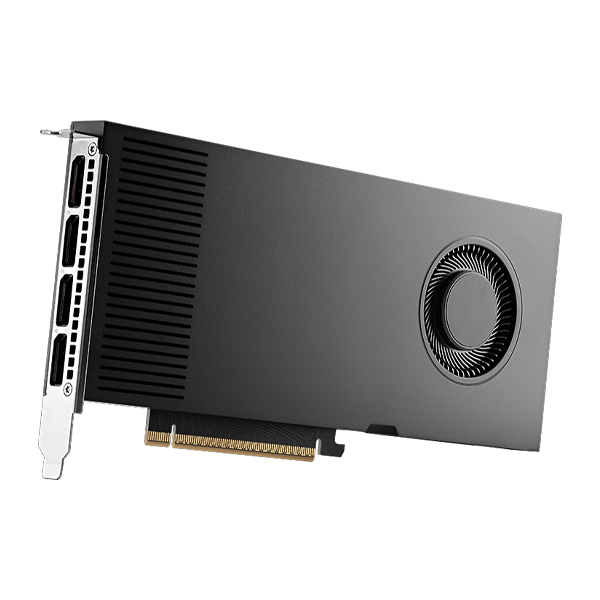
Available Model: NVIDIA 900-5G147-2270-000-01 | PNY VCNRTXPRO4000B-PB
Graphics Processor: GB203
VRAM: 24GB GDDR7
Power Consumption: 145W
Cooling: Single-Fan Blower
Form Factor: Standard Height, Dual-Slot
Dimensions: 4.4” (H) × 10.5” (L)
See Price (NVIDIA) | See Price (PNY)
Bridging the gap between entry-level and high-end workstation GPUs, the NVIDIA RTX Pro 4000 Blackwell delivers 24GB of GDDR7 ECC memory, solid compute capability, and a manageable 145W power draw. Notably, it shares the same GPU die as the GeForce RTX 5070 Ti and RTX 5080 in a 2-slot footprint. It has quickly become a staple for 3D artists, CAD users, and engineering workloads where 16GB consumer GPUs start to run out of headroom. With a balance of affordability, capability, and future scalability, the RTX Pro 4000 Blackwell represents one of the strongest value options in the professional lineup.
NVIDIA RTX Pro 4000 Blackwell SFF
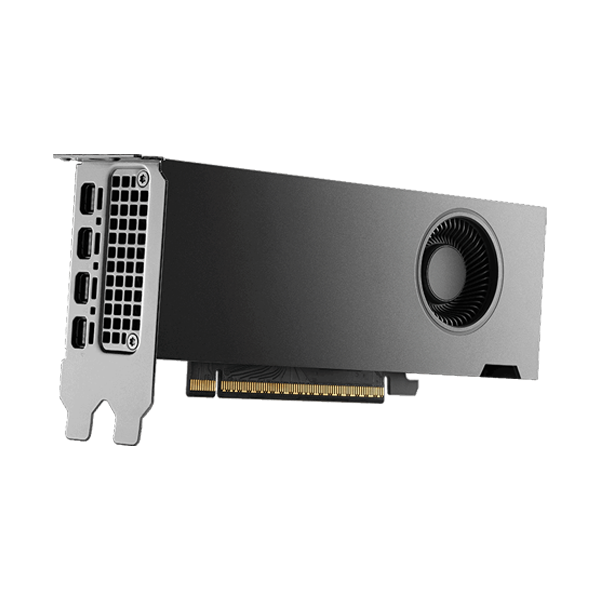
Available Model: NVIDIA 900-5G195-2200-000-01
Graphics Processor: GB203
VRAM: 24GB GDDR7
Power Consumption: 70W
Cooling: Single-Fan Blower
Form Factor: Low-Profile, Dual Slot
Dimensions: 2.7" H x 6.6" L
See Price (NVIDIA)
For the OEM system integrators or users building compact desktops out there, the NVIDIA RTX Pro 4000 Blackwell SFF is a Small Form Factor variant of the standard RTX Pro 4000 that retains the same specifications while adopting a slim, single-slot footprint. It is sufficiently powered by the PCIe slot alone, and does not require an external power cable. It’s an ideal choice for compact workstations, ITX builds, and multi-GPU layouts where physical space is the limiting factor. The slight reduction in clock speed is usually far outweighed by the deployment flexibility it unlocks. And if you’re using a full-size workstation and can’t source a full-size RTX Pro 4000 Blackwell, the SFF version works just as well — we even run one here at Central Computers in our video editing station.
NVIDIA RTX Pro 2000 Blackwell
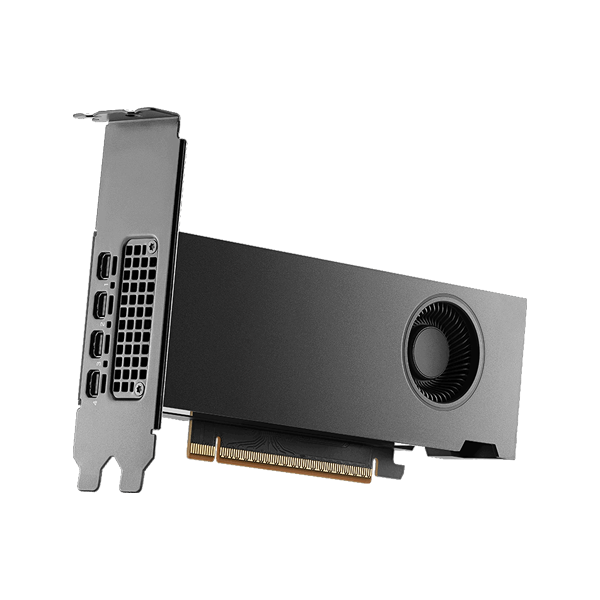
Available Model: NVIDIA 900-5G195-2551-000
Graphics Processor: GB206
VRAM: 16GB GDDR7
Power Consumption: 70W
Cooling: Single-Fan Blower
Form Factor: Low-Profile, Dual Slot
Dimensions: 2.7” (H) × 6.6” (L)
See Price (NVIDIA)
Sitting at the base of the Blackwell workstation GPU family, the NVIDIA RTX Pro 2000 Blackwell is a bit more than just an entry-level workstation card; it packages enterprise GPU features such as 16GB of GDDR7 ECC memory and professional driver support into a compact, slot-powered design.
Despite being the smallest GPU in the lineup, the RTX Pro 2000 fills a meaningful role in the workstation market similar to its predecessors. With a 70W slot-powered design and no need for an external PCIe connector, it integrates seamlessly into pre-existing compact desktops and OEM workstations without having to worry about PSU upgrades. Paired with its 16GB VRAM capacity and performance that exceeds the baseline requirements for professional CAD work, the RTX Pro 2000 Blackwell is an appealing option for institutional IT departments looking to upgrade architecture and engineering classrooms or research labs without the logistical headache.
Which Should You Choose?
You want maximum single-GPU performance in a full-tower ATX workstation and plan on one or two GPUs
→ RTX Pro 6000 Blackwell Workstation Edition
You need 2–4 high-performance GPUs in one system and want easier scaling with lower power and thermal requirements
→ RTX Pro 6000 Blackwell Max-Q
You are building high-performance rackmount servers where the chassis provides high-pressure airflow
→ RTX Pro 6000 Blackwell Server Edition
You want high VRAM capacity without flagship pricing, and don’t need the absolute fastest GPU
→ RTX Pro 5000 Blackwell
You’re building an upper-mid-range professional workstation for CAD, engineering, or content creation
→ RTX Pro 4500 Blackwell
You want a midrange professional GPU that balances price, power, and capability
→ RTX Pro 4000 Blackwell
You’re working with space-constrained or small-form-factor systems
→ RTX Pro 4000 Blackwell SFF
You need a low-power, entry-level professional GPU for OEM desktops, classrooms, or CAD
→ RTX Pro 2000 Blackwell
Explore Configurable RTX Pro Blackwell GPU Servers and Workstations
Orion Pro
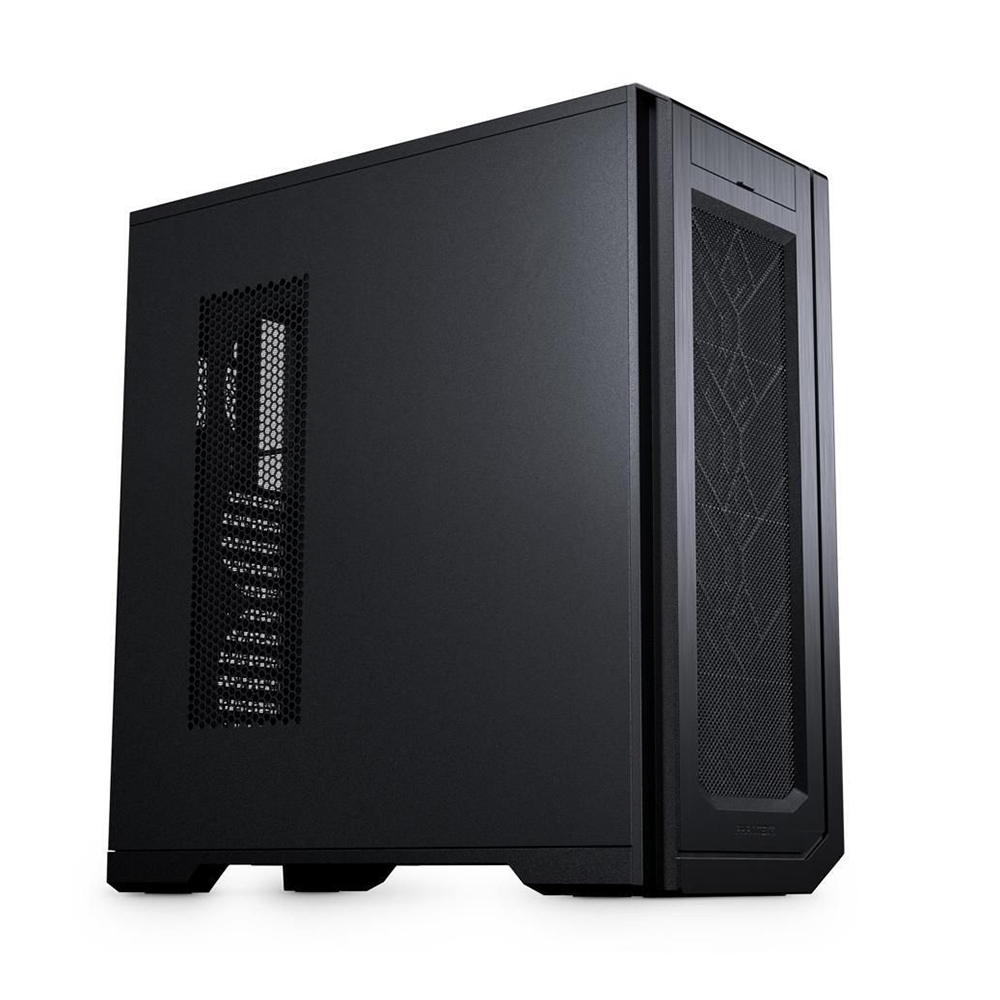
Features:
AMD Threadripper PRO 9000 Series CPU
Configurable RAM and Storage
Phanteks Enthoo Pro 2 Server Edition
Configurable Up To 4x RTX Pro 6000 Blackwell
Orion MAX
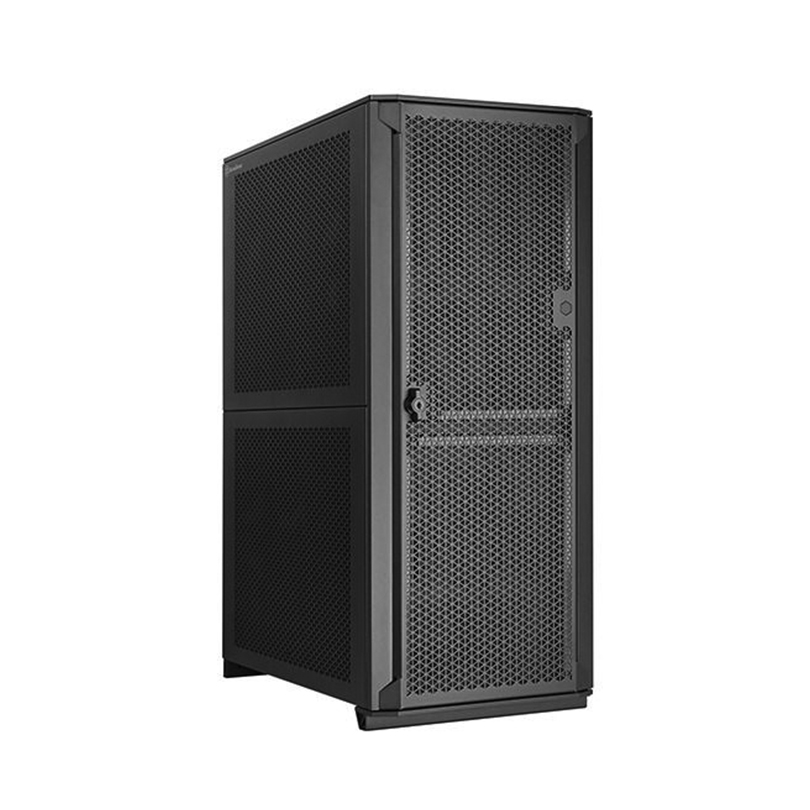
Features:
AMD Threadripper PRO 9000 Series CPU
Configurable RAM and Storage
Silverstone Alta D1 Full Tower Chassis
Configurable Up To 4x RTX Pro 6000 Blackwell



Please complete your information below to login.
Sign In
Create New Account